
No products in the cart.

Power BI Training Course
100.000 د.ك
Microsoft Power BI is an integrated suite of applications, software services, and connectors that work together to transform disparate and unconnected data sources into clear, interactive, and visually rich insights. It is an interactive business analytics system provided by Microsoft that helps you easily connect to various data sources and visualize them effectively.
Available on backorder
Description
Power BI Training Course
Course Overview:
Microsoft Power BI is an integrated suite of applications, software services, and connectors that work together to transform disparate and unconnected data sources into clear, interactive, and visually rich insights. It is an interactive business analytics system provided by Microsoft that helps you easily connect to various data sources and visualize them effectively.
With the help of Power BI, individuals can obtain data from a wide range of cloud systems and create dashboards that track their most important indicators. This technology enables organizations to closely monitor their operational performance and get immediate results through real-time dashboards that work across all devices.
and by enrolling in the Microsoft Power BI training course. anyone can become a proficient data analyst. All topics and modules are structured for easy learning, making the course highly engaging, and our friendly instructors ensure all trainees are empowered to use Power BI successfully and professionally.
Course Objectives:
In this course, you will learn how to analyze data using Microsoft Power BI, where you will be able to:
Analyze data using Self-Service Business Intelligence
Connect to various data sources
Perform data cleaning, initial analysis, processing and shaping
Visualize data using Power BI
Enhance data analysis by adding and customizing visual elements
Model data using calculations
Create interactive visualizations
Use advanced analytics techniques
Optimize reports and dashboards
Publish and share reports and dashboards
Extend Power BI usage beyond the desktop environment
Training Course Modules:
Module 1: Introduction to Power BI Desktop
Design queries using Query Editor window
Import data according to Star Schema model
Build data model using DAX language
Design interactive reports using Bookmarks
Design reports using Drill-through pages
Publish PBIX project files to Power BI Service
Module 2: Advanced Query Design Using M Language
Understand query design and ETL process
Introduction to programming using M language
Understand Query Folding concept
Design using query functions
Design using Query Parameters
Create reusable project template files
Module 3: Developing Custom Data Connectors
Understand the role of custom data connectors
Development using Power Query SDK
Package, deploy and test custom data connector
Configure authentication for custom data connector
Understand authentication flows using OAuth2
Create custom data connector for Microsoft Graph API
Module 4: Programming with TypeScript and D3.js Library
Introduction to TypeScript language
Getting started with D3 and SVG graphics
Create data-driven visualizations
Enhance visualizations using scales and axes
Use D3 layouts
Handle events and transitions
Module 5: Getting Started with Power BI Development Tools
Develop custom visuals in Power BI
Getting started with Visual Studio Code
Work with Node.js and NPM package manager
Create custom visual projects using PBIVIZ
Understand custom visual build process
Test and debug custom visuals
Module 6: Developing and Publishing Custom Visuals
Understand Power BI Visuals API interface
Define visual capabilities and data binding
Program data binding using D3 style with categorical data
Extend visuals with custom properties
Package and publish custom visuals
Module 7: Programming with Power BI Service API
Overview of Power BI Service API
Register applications in Azure Active Directory
Program authentication and manage Access Tokens
Develop custom applications for publishing PBIX files
Update data source credentials and refresh datasets
Module 8: Development with Power BI Embedded
Overview of Power BI embedding capabilities
Understand differences between Premium and Embedded capacities
Retrieve embedding data using Power BI Service API
Create and manage Embed Tokens
Use Power BI JavaScript API to embed reports and dashboards
Write client-side code to interact with embedded reports
Module 9: Securing Datasets with Row Level Security (RLS)
Understand Row Level Security concept
Apply RLS in Power BI Desktop projects
Design using User-Owns-Data model
Apply dynamic RLS using USERNAME function
Design using App-Owns-Data model
Create embed tokens restricted by RLS roles
Module 10: Developing Streaming Datasets and Real-time Dashboards
Introduction to Real-time Datasets
Create streaming dataset using C#
Design dashboards using streaming data elements
Create Push Dataset with real-time data
Integrate Azure Streaming Analytics tasks
Module 11: Getting Started with R Language in Power BI
Overview of R language as data analysis platform
Introduction to R programming language
Write and test scripts using RStudio
Use R packages to create charts and graphs
Use R script to import data into Power BI Desktop
Create reports using R Script Visual element
Module 12: Developing Custom Visualizations Using R
Structure of custom visualizations using R
Define dependencies for CRAN packages
Bind data fields to R script file
Develop and debug R script
Compiling and Deploying Custom Visuals using
- Power BI Training Course
Related products
-

استراتيجية التحول الرقمي والمنظمات القائمة على الذكاء الاصطناعي
180.000 د.ك Add to cart -
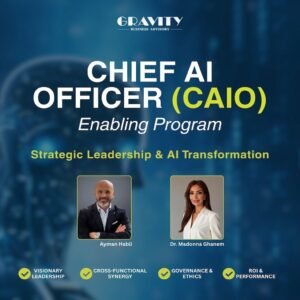
CHIEF AI OFFICER (CAIO) ENABLING PROGRAM
2-Day Intensive for Executives, Business Development Managers, and AI Leaders200.000 د.ك Add to cart -
Digital Transformation Strategy and AI-Driven Organizations
180.000 د.ك Add to cart -
The Importance of Digital Transformation and Artificial Intelligence in Developing Government Institutions and Companies
This program explores the importance of digital transformation and artificial intelligence in developing government institutions and companies as...100.000 د.ك Add to cart



Reviews
There are no reviews yet.